Preschool Connect: letting parents see in without putting teachers or schools under strain
UX research and design for a mobile app that connects preschools, parents and teachers through controlled live video, a quick daily activity log and a simple report form.
- Designer
- Love Imah Oyibo
- My role
- UX researcher and designer
- Team and timeline
- One, 6 Months
- Tools
- Figma, Adobe XD
The problem
Parents of pre-nursery children wanted to know what their child’s day looked like and what the classroom was like. School directors worried about privacy and the added operational burden. Teachers needed a simple way to update parents without adding to their workload.
Each group’s ideal solution cut against another’s, so the work was less about adding features and more about finding trade-offs all three could accept.
Research
I interviewed parents, school directors and teachers, and observed classroom days at three schools. with about 10 people in each group, at Abuja.
Who I designed for
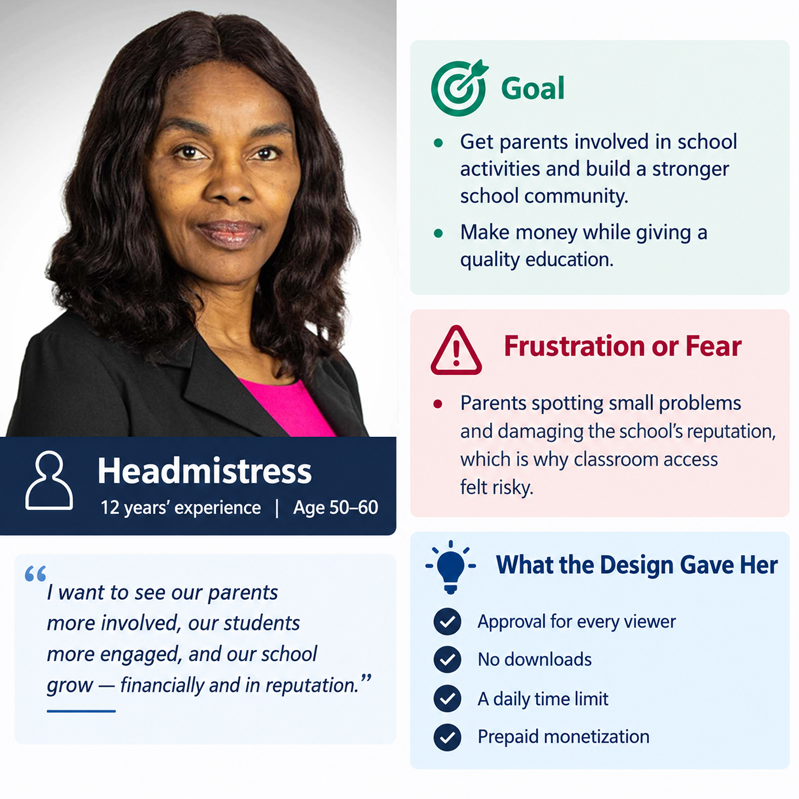
I built personas for three parents (a stay-at-home mother, a contractor who travels, and a banker working across town), a headmaster with 12 years of experience, and a teacher with 3 years. Each had a distinct goal: checking the school environment, tracking what a child is taught, or avoiding daily trips to school at lunchtime.
Design decisions
Every major decision was a response to one of the tensions above.
Give the school control, and limit what parents can do with it
Parents can only enter the live stream with the school’s approval. Video cannot be downloaded, and each parent gets a maximum of 10 minutes a day. The limit keeps parents focused on their own child rather than on fault-finding, and it was the compromise that moved directors from opposing the idea to accepting it.
Make the feature pay for itself
I proposed that live viewing be a prepaid add-on, separate from school fees. This addressed the directors’ business goal of earning revenue while delivering a quality education.
Put teachers in charge of when the camera is open
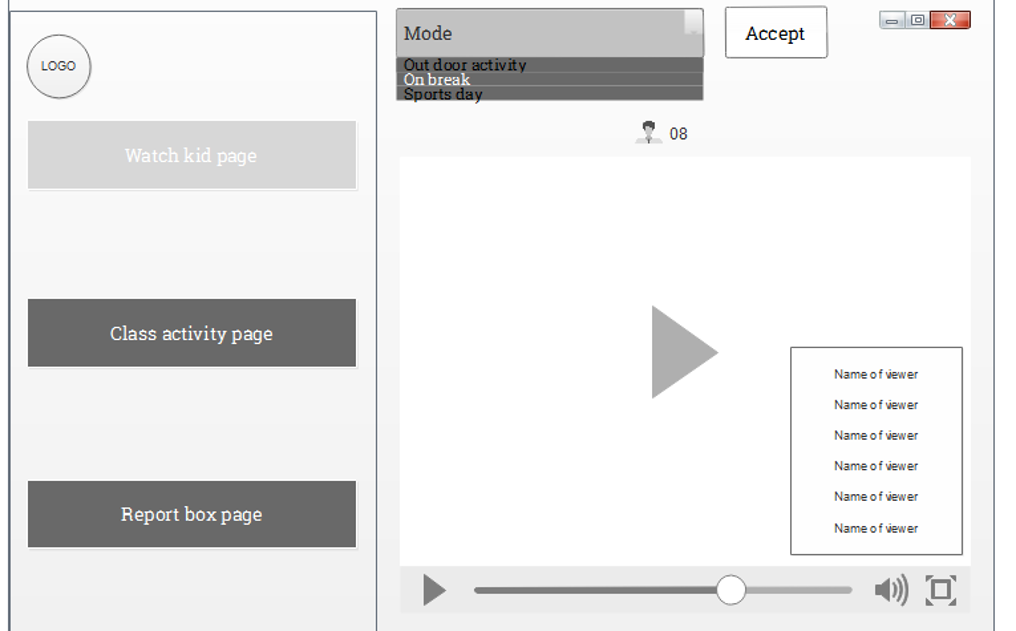
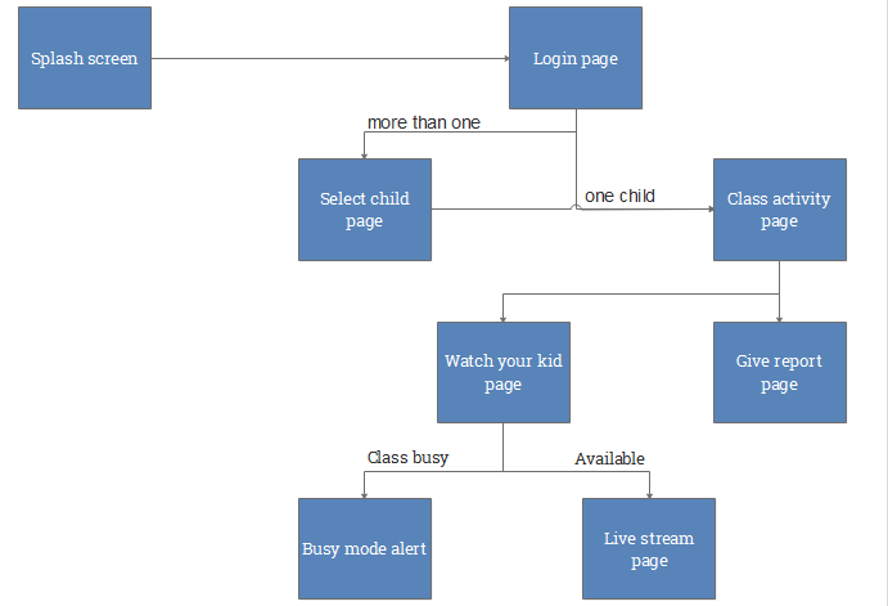
Teachers can switch the stream mode (outdoor activity, on break, sports day), accept incoming parent requests, and see how many people are watching. When the class is busy, parents see a “busy mode” screen that tells them how long to wait, which avoids a confusing error or a dead video.
Turn a long report into four quick sections
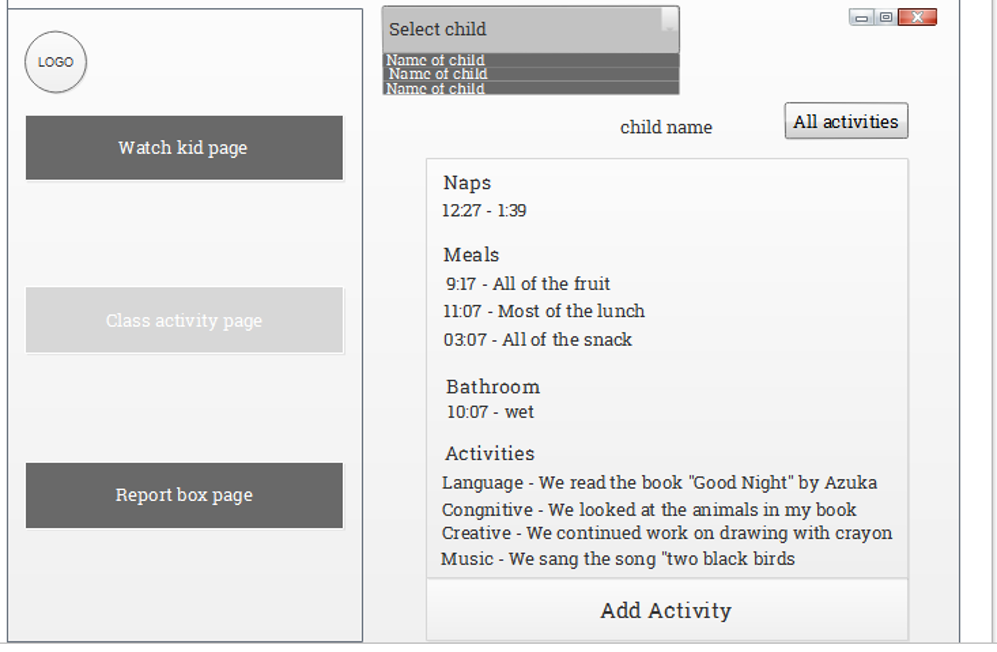
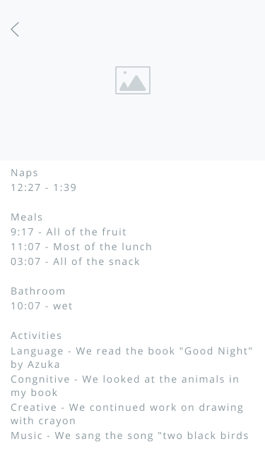
The class activity template has four parts: naps, meals, bathroom and activities. A teacher picks a child from a dropdown and fills in the four sections. The parent sees the same entries as a simple timeline on the home screen, with a summary view for meals.
Keep sign-in and messaging simple
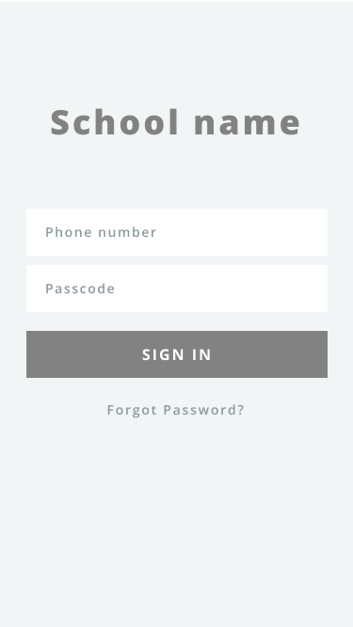
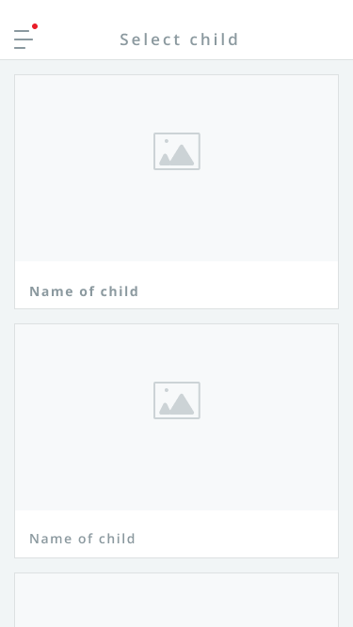
Parents sign in with their phone number and a passcode, which is easy for every parent to remember. If a parent has more than one child at the school, they land on a “select child” screen first. A short report form lets parents tell the school about their child’s health, and it is paired with a daily push notification, since parents might not remember to use it.
How it fits together
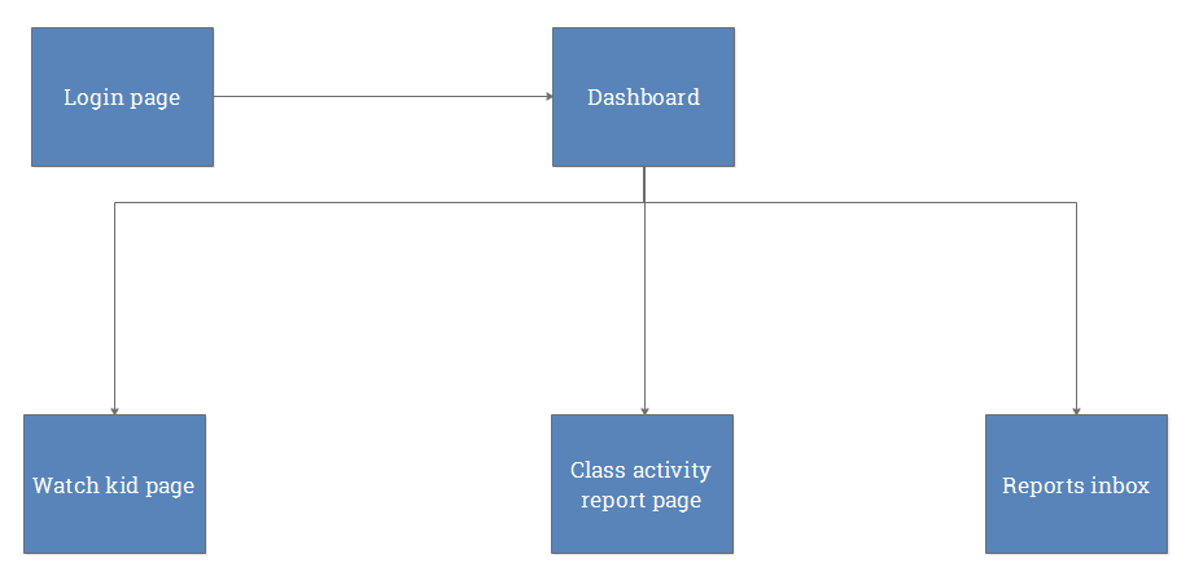
Parents move from a splash screen to login, then to their child’s activity page. From there they can watch their child live, or open the report page. Teachers log in to a dashboard with three areas: watch the class, write the activity report, and read incoming parent reports.
Final design
The final interface is bright and friendly for a preschool setting, with clear icons for each activity type so parents can scan the day in seconds.
Privacy and safety
Live video of young children is the most sensitive part of this product, so privacy shaped the design from the start: school approval for
The design limits what parents can do with the stream: school approval for every viewer, no downloads, a daily time cap and a visible list of who is watching. The project did not cover consent in depth, and that is the first thing I would address in the next iteration.
Outcomes
Parents felt reassured by controlled live access. Directors accepted the solution once the control and monetization features were in place. Teachers were satisfied with the simplified reporting.
Interviews with parents, school directors and teachers at private PreNursery School in Abuja showed that almost all parents wanted live-stream access, and some said they would switch schools to get it. Directors initially rejected the idea over reputational risk, but accepted it once they had approval control, a 10-minute daily limit, no downloads and a prepaid revenue model. Teachers agreed to complete the activity template once it was simplified and the extra work was linked to their pay.
What I learned
What worked: research-driven design and finding a compromise all three groups could accept.
What I would change: test a clickable prototype with real parents and teachers, plan for many schools instead of one, and add analytics so schools can see how the features are used.
Main lesson: good UX is often about balancing needs that pull in different directions while keeping the outcome centred on the people using it.